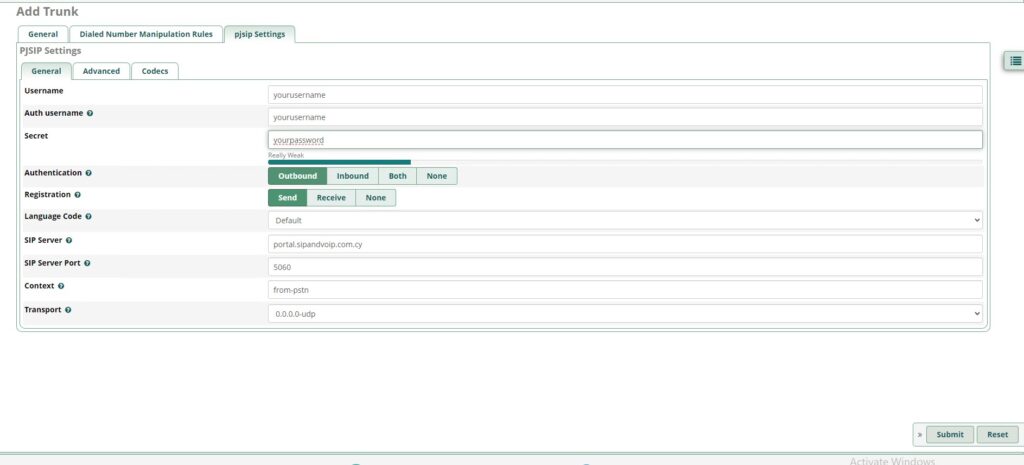
Asterisk SIP trunk setup
Basic setup guide
This guide was created using the FreePBX distribution. It will also work for Elastix and other Asterisk installations. Vicidial, 3CX and other IP PBX system are not covered here, however, using the information below, you should be able to setup these other systems as well.
SIP username is numeric and 10-digits long, for example, 1001001000. This username is different from your account number. You need to create a SIP login and generate a password before you can use Asterisk or any other SIP device – please see instructions here.
In this example, we will setup a sip trunk on Asterisk Box
Step 1.
Navigate to connectivity
Trunks
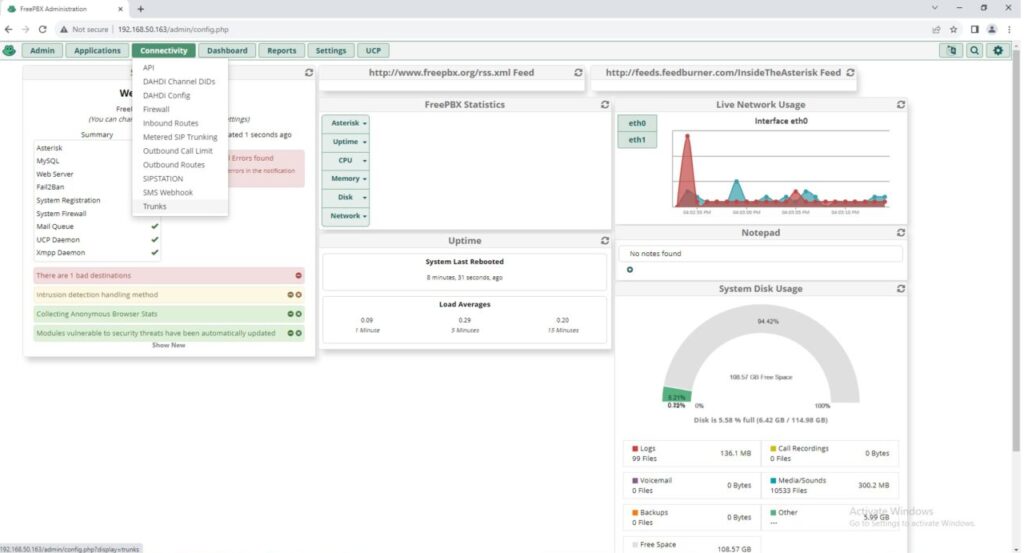
Step 2.
Add Sip Trunk
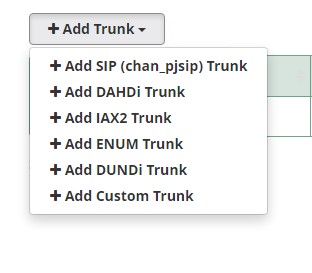
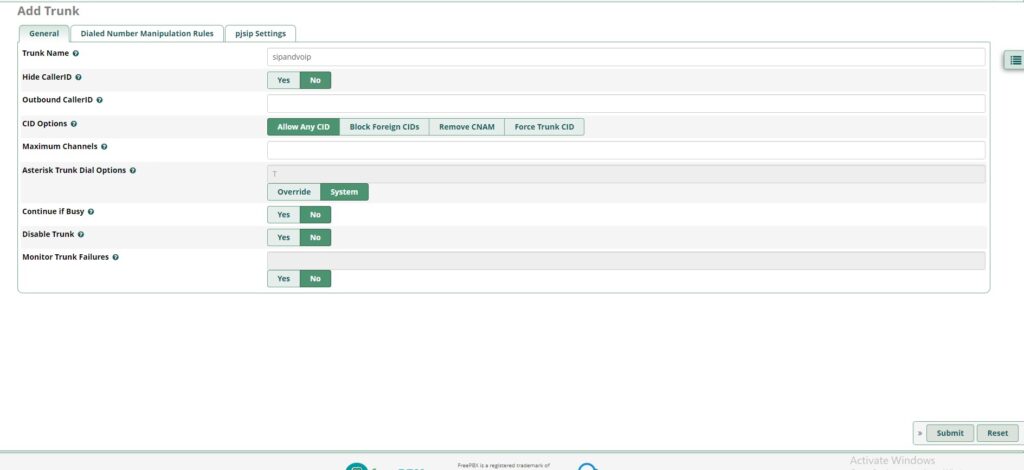
Step 3.
Trunk Name sipandvoip
Step 4.
Add username yourusername
Add Auth name yourusername
Add Secret yoursecret
Add Sip Server sip1.sipandvoip.com.cy
Add port 5060